Catch us at Birmingham Tech Week, October 2026
VibeMagic Desktop Tool

Point-and-click setup for easy AI development

VibeMagic Desktop is a desktop app that takes the friction out of building with AI. It checks your computer, sets up the professional tools the pros use, tunes your AI assistant, and helps you manage and deploy your projects. All without touching a command line. Built for people who want to get building.
Platform
Windows first
Next up
Mac & Linux
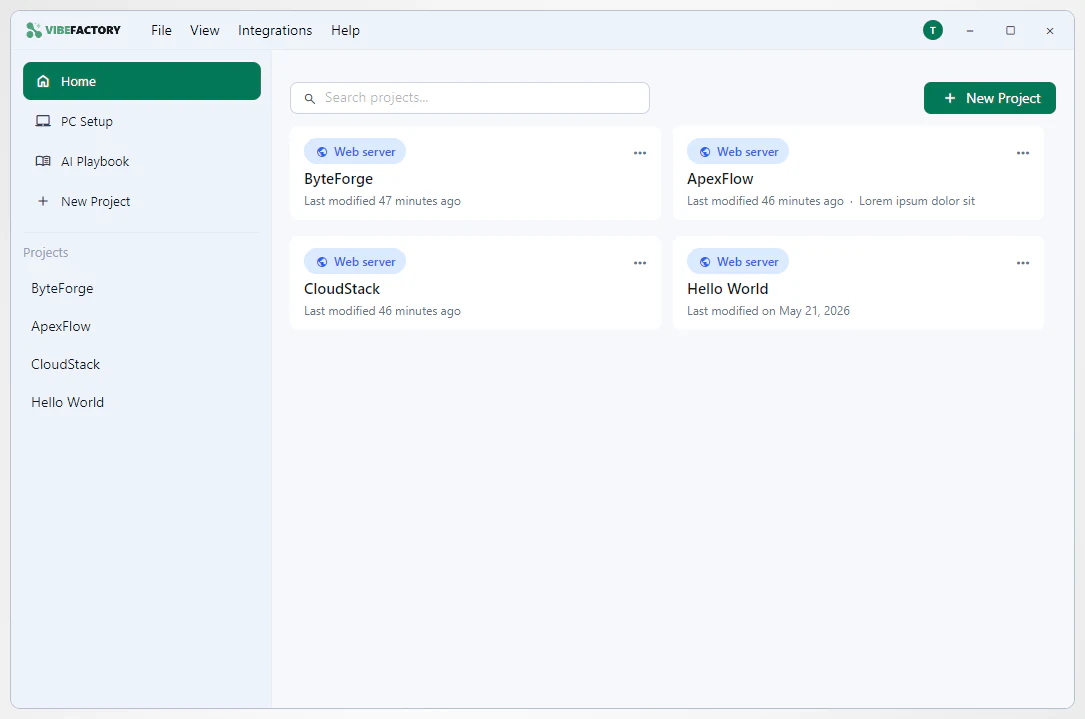
The VibeMagic Desktop app
WHAT IT DOES

From idea to building. In a few clicks.

VibeMagic Desktop handles the parts that usually trip people up: setup, AI configuration, and deployment. So you can focus on what you're building.

SETUP ASSISTANCE

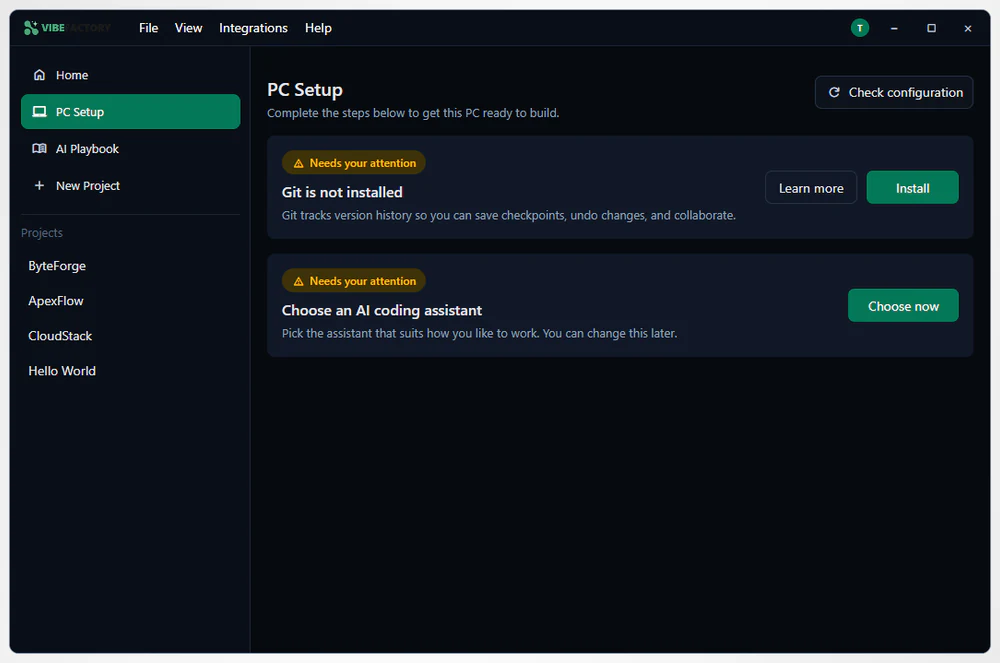
Set up the right tools

VibeMagic Desktop checks what's already on your PC and sets up the rest, with no command line required.
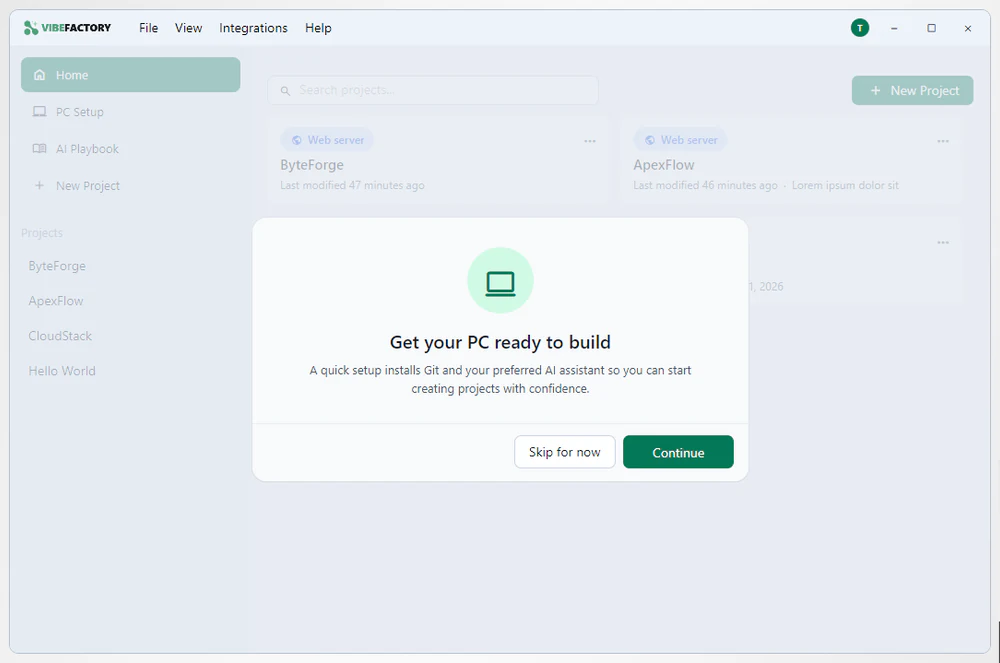
  • Installs Git, which every VibeMagic project requires, plus your AI coding tool and databases
  • Works declaratively: change your setup and the Desktop app keeps your machine in sync
  • Guided prompts walk you through anything that's missing
Set up the right tools
AI ASSISTANCE

Get more from your AI

Works with the major AI coding tools (including Claude Code and Cursor) and helps you use them well.
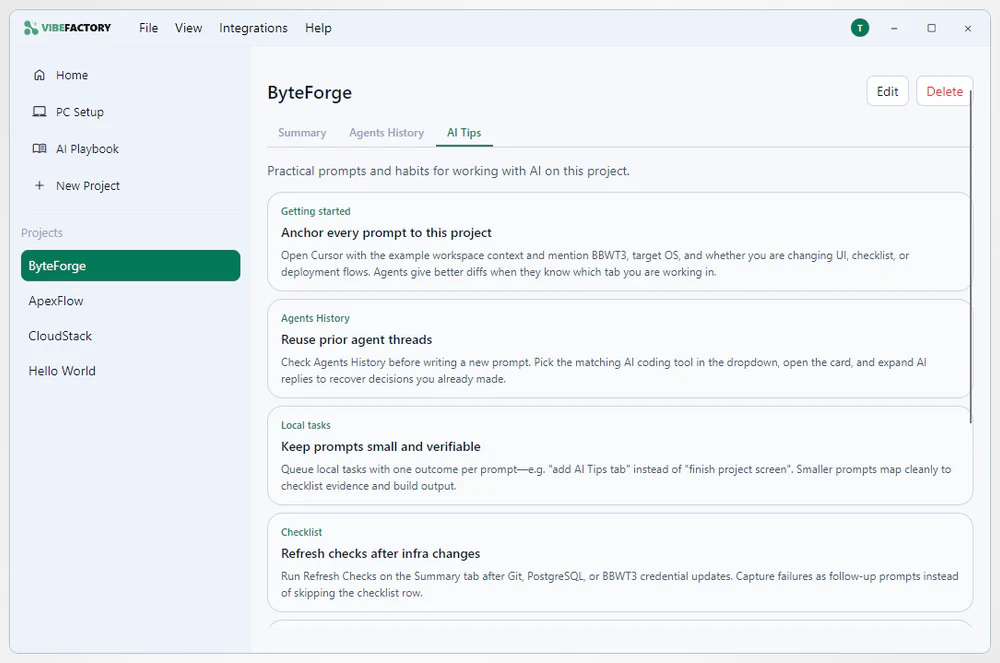
  • Project-aware tips for prompting and the habits that actually help
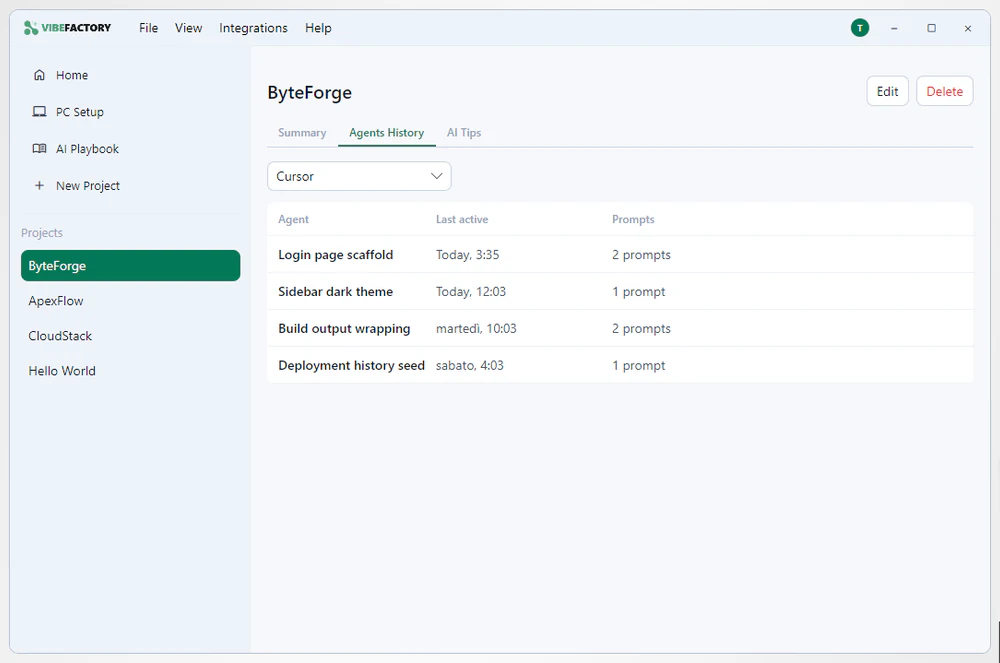
  • A clean, readable history of every prompt across your agents
  • Configuration checks that suggest improvements for your project
Get more from your AI
PROJECTS & DEPLOYMENT

Manage & deploy projects

See where every project stands at a glance, then check in and deploy when you're ready.
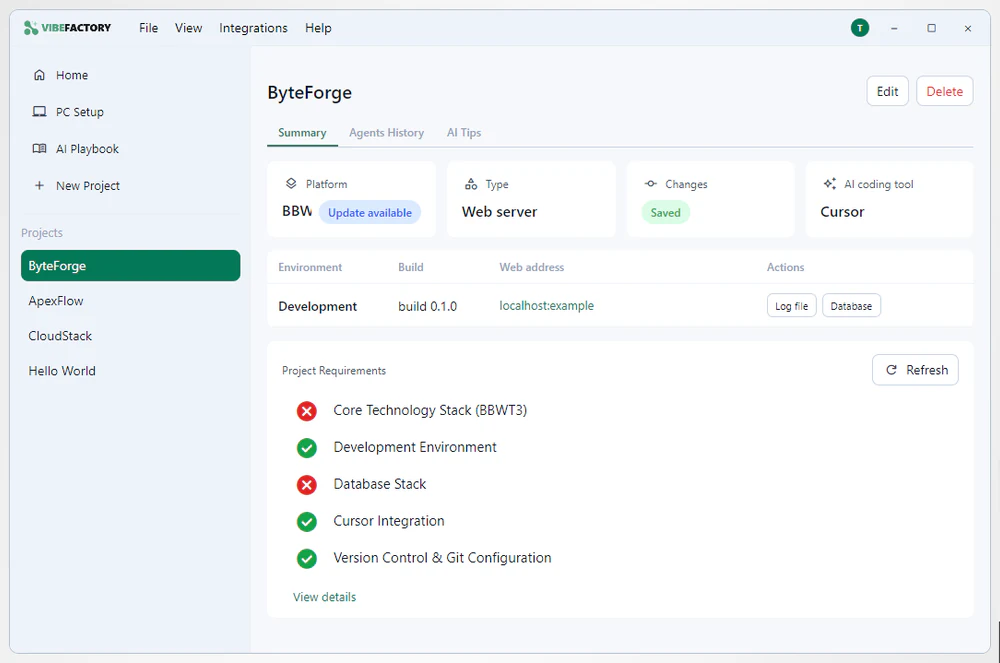
  • An at-a-glance summary: platform, AI tool, builds and checks
  • Commit and push your changes straight from the app, no command line needed
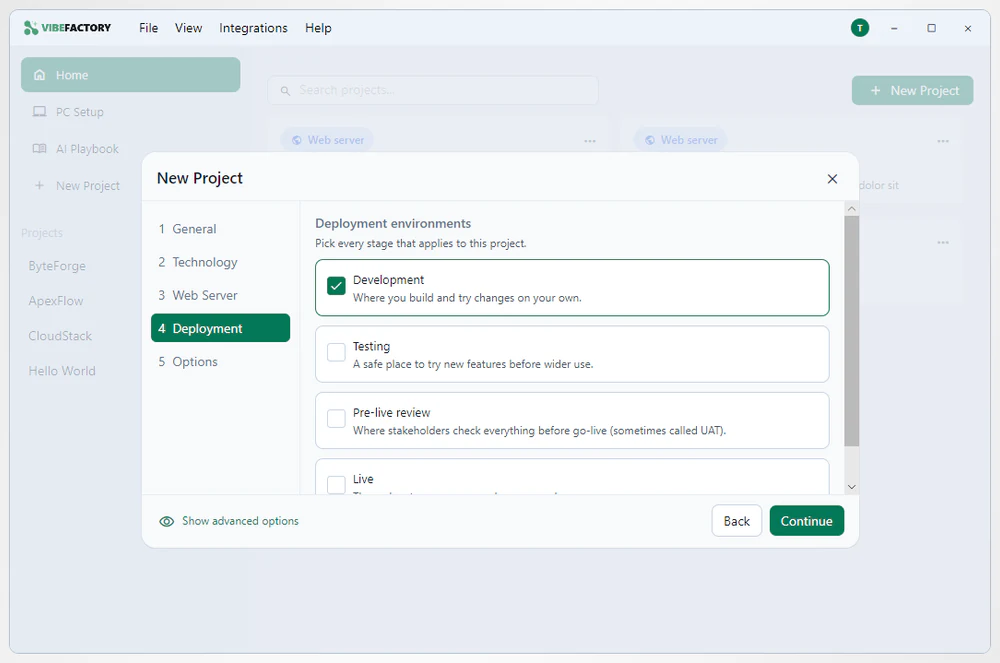
  • Dev, Test and Live environments with one-click deploy
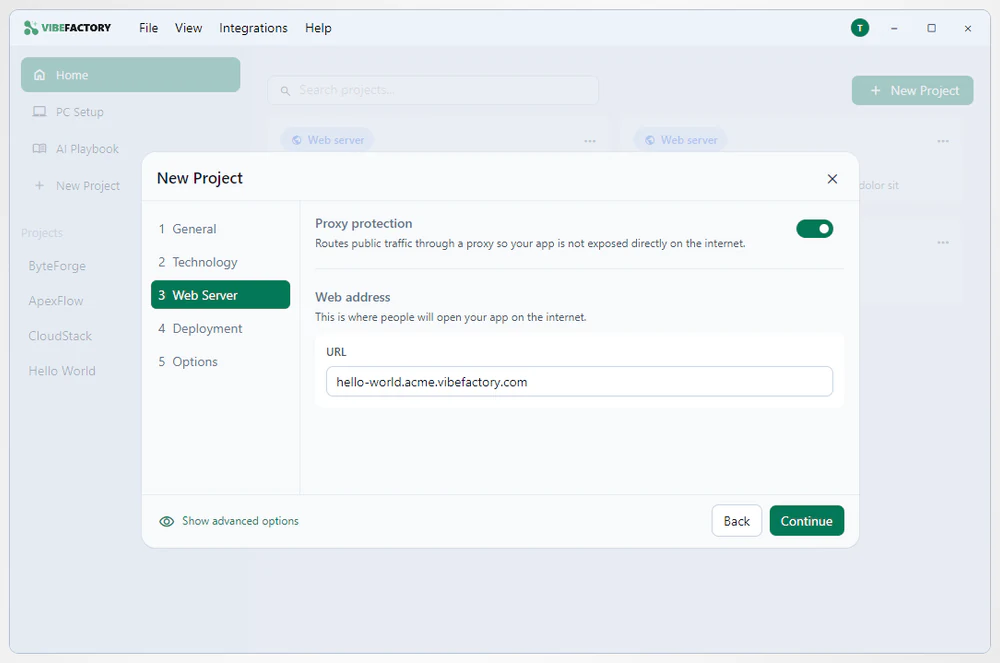
  • Built-in Safe Deploy keeps new apps behind proxy protection
Manage & deploy projects
PROBLEM REPORTING

Report problems as they happen

Rewind keeps a rolling couple of minutes of your screen on your own machine. One keyboard shortcut starts a support ticket with that clip and diagnostic logs attached.
  • The ticket form opens straight away, so you can start typing while the clip finishes
  • The project you have open goes with the report
  • No audio, and nothing leaves your PC until you send the ticket
Report problems as they happen
VOICE DICTATION In development

Type with your voice

Hold your chosen key, speak, then let go. The text lands at your cursor in whatever app you're already working in.

  • Transcription runs on your computer, not a cloud service: the speech model downloads on first use
  • Microphone only: nothing on your screen is recorded
  • Set your own shortcut, pick your microphone, choose your language
Type with your voice
TOKEN COSTS

Keep your token costs down

The Token Optimization Wizard goes through your AI configuration and brings your API overhead down.

  • Audits the AGENT.MD and SKILLS.MD files on your machine
  • Tracks them, so you can see what has changed
  • Trims whatever you do not need from either file
Keep your token costs down
TAKE A TOUR

A closer look at VibeMagic Desktop features.

From first sign-in to deploying your app. Swipe, or use the arrows.
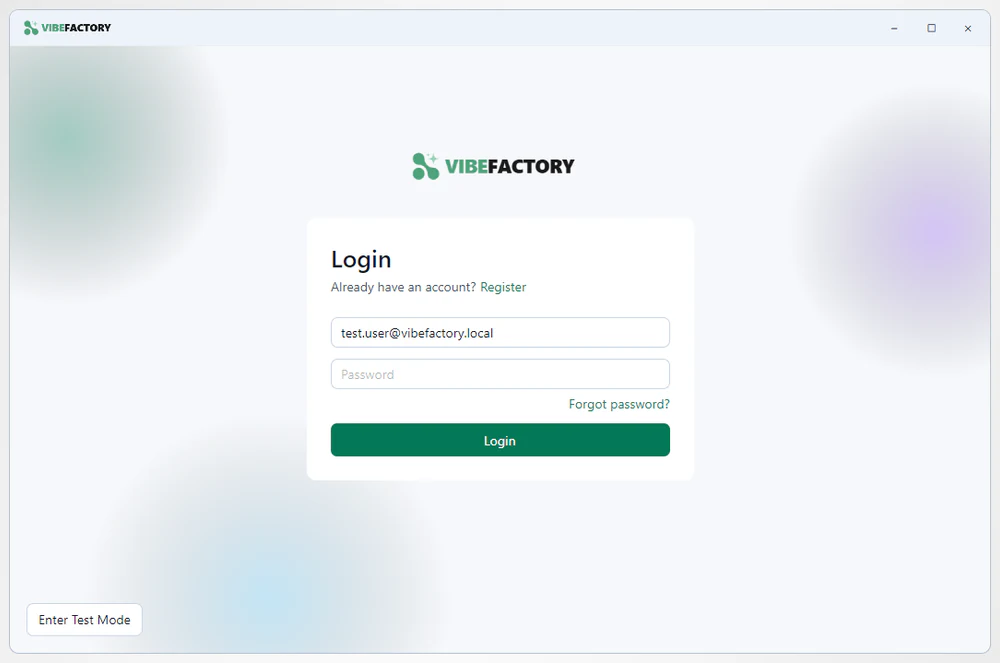
  • Sign in with your VibeMagic account
    Sign in with your VibeMagic account
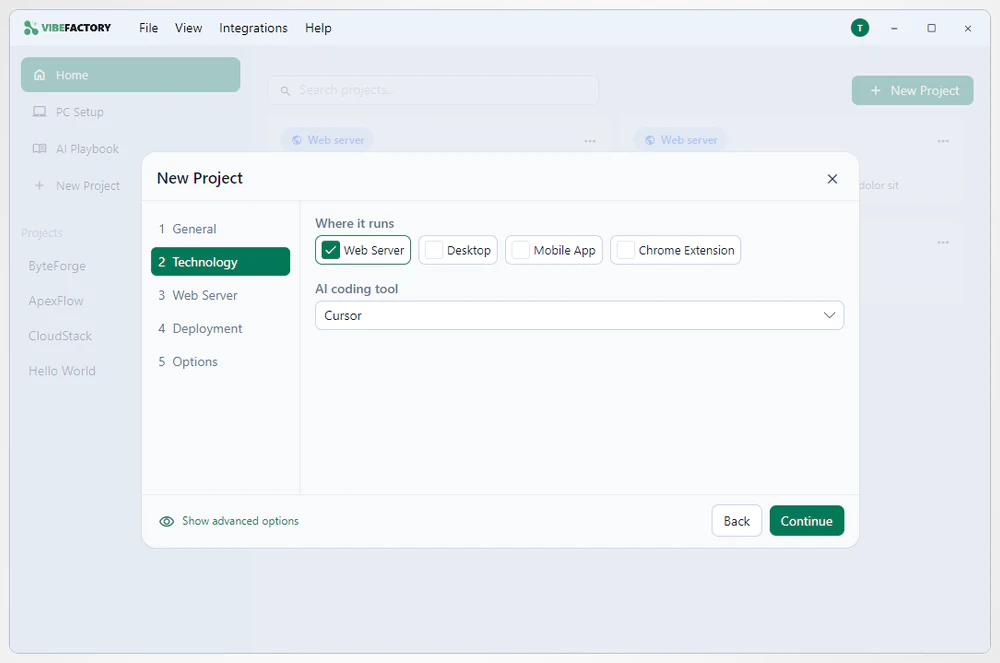
  • Choose what you're building
    Choose what you're building
  • Pick your deployment environments
    Pick your deployment environments
  • Safe Deploy with proxy protection built in
    Safe Deploy with proxy protection built in
  • Prompt history across your agents
    Prompt history across your agents
  • Light and dark themes
    Light and dark themes
HOW IT FITS

Two tiers, one connected workflow.

Standard & Pro

Standard gets you set up and coding with the core assistance built in; Pro adds extra tools for power users.

Works with Portal

Sign in once with your VibeMagic account and your settings stay in sync with the Portal.

HUMAN SUPPORT

Help without leaving the app

When AI can't get you unstuck, you can reach our team from inside VibeMagic Desktop. Human help runs on our credit-backed safety net: no monthly retainer, just credits you use when you hit a wall.

Chat with our team

Start a chat from inside VibeMagic Desktop. Ask whenever it suits you, from anywhere, and pick the thread up again later.

Send a Rewind recording

Capture the problem with Rewind, the screen capture built into VibeMagic Desktop, then send the recording instead of writing the whole thing out.

Book a session on your screen

Book into a UK engineer's calendar and walk through the problem together on a shared screen. Hand over remote control if that helps.

Be first to try VibeMagic Desktop.

VibeMagic Desktop is almost ready. Register your interest and we'll let you know when you can start using it.